PHOTO MOSAIC GUIDES
Photo mosaic or photo collage?
Both combine multiple photos into one image, but they use different layouts and produce different results.
Use a collage to show each photo separately
A collage arranges photos in a grid or a free-form layout. Choose this approach when each photo needs to be readable on its own. Mosaicer is a photo mosaic maker, not a collage template editor: it recreates a main image with smaller photo tiles.
Use a photo mosaic to make one picture from many
A photo mosaic fills regions of a main image with small photos. From a distance you see the overall shape; up close you can inspect individual tiles. Start with a main image that has a clear outline and an uncomplicated background so changes are easier to compare.
Inspect a finished photo mosaic
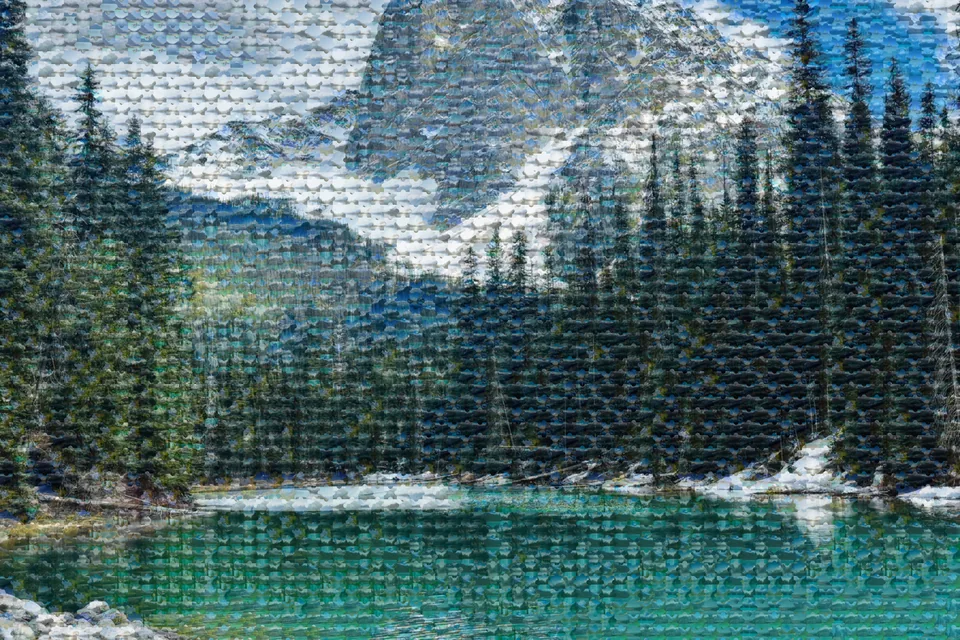
This reduced mountain-and-lake example also appears on the home page. From a distance you can see the landscape; closer inspection shows repeated tile patterns. This is a display sample of a finished result; its source photo collection and original generation settings are not provided. For a reproducible settings example, follow the related Soft and Hard comparison guide below.
Balance tile count and main-photo blend
More tiles divide the main image into smaller regions, but each tile becomes smaller in the result. Increasing main-photo blend makes the original image more visible over the tiles. Use the preview to compare the overall image and the readability of individual photos.
When the result looks unclear
Inspect the result at 100% first. A higher main-photo blend emphasizes the large outline but makes individual tiles less visible. Change only the blend while keeping the input photos fixed, then adjust tile count. Changing both at once makes it harder to identify the cause.
When individual photos matter
If faces or text must be readable, reduce tile count to enlarge individual tiles, or choose a collage instead. Compare smaller tiles when the overall silhouette matters most. Increasing output scale does not recover details missing from the source photos.
Try these settings
Start with photo selection. Settings from this guide are not applied automatically; select them in the settings step.
Select a photo to start